Tampilkan postingan dengan label Tips & Tricks. Tampilkan semua postingan

How to Update Samsung Galaxy Y GT-S5360 to Android 4.4 KitKat

Posted by Unknown Selasa, 28 Januari 2014 0 komentar
Samsung Galaxy Y Hands-on 26-580-100


Hello readers as you know that Google  has recently released Android 4.4 KitKat and many of the devices already started receiving the update. But we at Galaxyakash.blogspot.com are posting articles on updating your favorite devices to latest Android 4.4 though your device officially doesn’t supports the update. Today we have Samsung Galaxy y GT-S5360 in the list. We are going to show you How to Update Samsung Galaxy Y GT-S5360 to Android 4.4 KitKat. Samsung Galaxy Y is one of the most popular device among the masses. I still remind those days in which talking tom was played in the Samsung Galaxy Y in the TVC. The specifications of the device are good enough to run most of the apps in the playstore and its still selling like hotcakes in the market. Lets see How to Update Samsung Galaxy Y GT-S5360 to Android 4.4 KitKat.
The update we are going to write about is not official update its makes your device look alike the latest Google Android 4.4 Kitkat. By installing this Rom you will lose your warranty. Follow the steps carefully this procedure is only meant to update Samsung Galaxy Y GT-S5360 to Android 4.4 KitKat and may not work on any other device. Don’t try to do on other devices this will make the devices not work causing them a hard brick which is hard to recover. Proceed with caution.

Prerequisites to Update Samsung Galaxy Y GT-S5360 to Android 4.4 KitKat:-

  1. Make sure your device Model is GT-S5360.
  2. Charge the device upto 80%.
  3. Make sure you have rooted the Device and Installed a custom recovery like ClockWorkMod on it. If your device is not rooted, have a look at How to Root Samsung Galaxy Y gt-s5360.
  4. Enable USB Debugging on your device.
  5. Download CWM RECOVERY, CM Kernell & Android 4.4 Kitkat rom.
Now you are good to go to start updating your Samsung Galaxy Y GT-S5360 follow the below steps carefully.


Procedure to Update Samsung Galaxy Y GT-S5360 to Android 4.4 KitKat:-

  1. Copy all the files you have downloaded from above links to your SD Card.
  2. Now Turn off your mobile and switch it on using Volume up+power+Home button.
  3. The above combination takes you to a recovery screen.
  4. Now select update from SD Card and select CWM.
  5. Now you are in CWM recovery screen. Select Install from SD card.
  6. Select CyanogenMod.zip from the list after installing select reboot recovery.
  7. Now its time to format system, Cache & Dalvik Cache.
  8. After that select Install from sd card and Select Android 4.4 Kitkat rom.
  9. After installing the Rom do a factory reset from the recovery menu itself.
The booting process takes around 10-15 mins dont panic. Bingo You have Latest Android 4.4 Kitkat on Samsung Galaxy Y GT-S5360.Happy flashing and Enjoy Android 4.4 KitKat on your Samsung Galaxy Grand Duos. Do let us know your reaction about How to update Samsung Galaxy Y GT-S5360 to Android 4.4 KitKat.


**Screenshot Will Be Added Very Soon!!!

THANKS ALL BY GALAXYAKASH TEAM....STAY TUNE FOR NEXT UPDATE......

ALSO THANKS FROM ADMIN AL ISLAM AKASH............


Baca Selengkapnya ....

How to Play HD Games GTA 3,Temple Run on Galaxy Y

Posted by Unknown Jumat, 30 Agustus 2013 0 komentar
Hi Friends Today I will Show You How to Play HD Games Like GTA 3,Temple Run & many Others that will not ever runs on Galaxy Y You have seen White Screen or Black Screen or Force Close But After this I Have 99% Sure Your Problem Will Solved.So, Before doing this stuff First Thanks to Yusepz for this great apps & thanks to Xda member Imranabbas22 for sharing this mod for all Users.


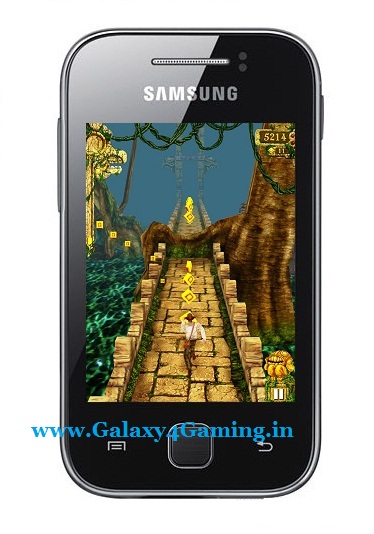
Here Is ScreenShots Running Hd Games on Galaxy Y


Requirements:


Warning:

Use at your own Risk! we will not be held responsible for any damage to your phone.


Note : Don't Flash CM7 lib.zip File Otherwise you will Brick your phone


Instructions:

1. Install Chainfire 3d, its plugins and ES File Explorer
2. Install Drivers and tick Experiment EGL (might or might not work in your device depending on your ROM)
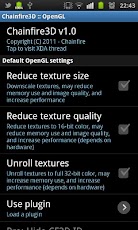
3. Make sure to go in default openGL Settings > Tick Reduce Texture Quality and Texture Size and select Qualcomm under Load Plugin
4. Download and extract "cm7 libs by yusepz" to the root of sdcard
5. Make Sure in ES File Explorer, Go to menu>settings>root settings > and Tick 'Root Explorer' and 'Mount File System'
6. Copy the Content of egl folder found in /sdcard/cm7 libs by yusepz/system/egl/HERE to /system/libs/egl/HERE
7. RESTART IS REQUIRED!
8. Now Install GTA 3 apk and copy the data in here /sdcard/android/data/HERE
9. Open up GTA 3
10. Accept user license agreement.
11. When download prompt appears, hit the back button and press home button.
12 In the status bar, touch the gta 3 notification to open up and Voila! You can play the game!

Video Tutorial 


Download Section :

1.cm7 lib by yusepz.zip


Baca Selengkapnya ....

Temple Run Game For Samsung Galaxy Y GT-S5360

Posted by Unknown Selasa, 27 Agustus 2013 0 komentar

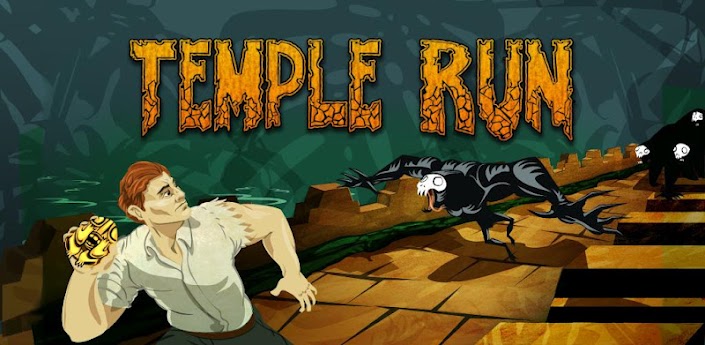
Dear Friends Most of My Friends Demand for this Game So Today i update this Game Enjoy............

Description:-

Run for your life!

The addictive mega-hit Temple Run is now out for Android! All your friends are playing it - can you beat their high scores?!

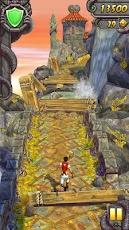
You've stolen the cursed idol from the temple, and now you have to run for your life to escape the Evil Demon Monkeys nipping at your heels. Test your reflexes as you race down ancient temple walls and along sheer cliffs. Swipe to turn, jump and slide to avoid obstacles, collect coins and buy power ups, unlock new characters, and see how far you can run!

"In every treasure hunting adventure movie there’s one scene in which the plucky hero finally gets his hands on the treasure but then has to navigate a maze of booby traps in order to get out alive. Temple Run is this scene and nothing else. And it’s amazing." -


Tested on Galaxy Y & Xperia Mini Pro By Me Sameer without any lags
Required Android : 2.1 and up.

Version : 1.0.8

Download Links : [ARMV6 & ARMV7]

Google Play Apk Link

DataFileHost:
Temple Run APK [HVGA,QVGA,WVGA,TAB]


Google Drive:
Temple Run APK [HVGA,QVGA,WVGA,TAB]


Just Install Apk and Play....

Baca Selengkapnya ....
Chainfire 3D Pro Plug-ins & Pro license for Samsung Galaxy Y & All Android Devices

Posted by Unknown 0 komentar

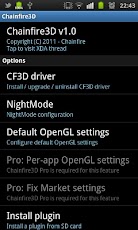
How to install Chainfire 3D to any android devices tutorial! (recommended for Galaxy mini, Galaxy y, Galaxy fit etc) Chainfire3D - Take control of your GPU OpenGL!Take control over your GPU! Chainfire3D is an intermediary OpenGL driver. What does that mean? It means that Chainfire3D sits between your apps and the graphics drivers, and can intercept and/or change commands between the two. It has some built-in functions, and can be further extended with plugins to provide extra functionality.

ROOT is required for this program, as well as a writable /system partition. S-OFF is also required on HTC devices . { How to Root & Unroot Galaxy Y & All Android Devices }
Features include reducing texture size and quality to reduce memory use and potentially increase game performance, as well as increasing memory use potentially increase performance.
If you also install the (experimental) EGL driver, AND your GPU supports it, AND you have the Pro version, you can enable 4xMSAA or 16xMSAA on a per-app bases. This can drastically improve image quality!

How to Install:

1) Install Chainfire 3D apk
2) Install Chainfire 3D pro(license) apk
3) Chose a Plug-ins file, unpack it in SD.
4) Open chainfire3D then allow super user.
5) Select the CF3D Driver, and then Install. Phone restarts.
6) Extract plugins.rar you find 3 files copy in sdcard and now
7) Start the Chainfire3D and select the item Install plugin.
8) Wait till it found plug-ins .zip file
9) Install libGLEMU_POWERVR.zip (for PowerVR)
libGLEMU_NVIDIA.zip (for Nvidia)
libGLEMU_QUALCOMM.zip (for Qualcomm)
10) Now goto Fix market setting
11) After this, go to Default OpenGL settings -> Use plugin
12) Choose POWERVR/Qualcomm/Tegra (according to your GPU or Certain games)
13) Minimize Chainfire3D

Thats it! We are done installing Chainfire 3D!

Direct Link: Chainfire 3D apk

Direct Link : Plugin.rar

Google Play Market Link

(Install Chainfire 3D apk first then install Chainfire 3D Pro license apk)

Compatible devices: Its working on all modern android devices. But I strongly recommend it for low end android devices like (Galaxy Mini, Young Y, Fit, Wildfire S, Lg Optimus one) to get better graphical performance from the devices.


Baca Selengkapnya ....

MIUI Launcher for Galaxy Y,Y Duos,Galaxy Ace i

Posted by Unknown Selasa, 20 Agustus 2013 0 komentar


Hi Guys Presenting MIUI Launcher for Galaxy Y,Y Duos, Galaxy Acei 5830i. Shared by xda member D4rkSh4dow.This Is A MOD That Replaces the booring Stock TW Launcher to a new MIUI Launcher.


Features:

  • Integrated With AROMA Installer(Thanks to Ahmad Amarulla)
  • MIUI Bootanimation
  • MIUI Wallpaper(s)
  • MIUI Launcher (Thanks to MIUI Team)
  • MIUI Locker "
  • MIUI D4rk File Manager
  • MIUI Sound Recorder
  • MIUI Gallery 
  • MIUI Camera
  • And Many More MIUI Apps For You To Explore
Screenshots:


How to Install:

o Download the D4rk MIUI.zip & CWM.zip place in root directory of Sdcard

o Reboot in Recovery mode by pressing vol up+home+Power button together once you enter recovery mode touch screen become function-less so use volume up and down to move up and down, home button for selection and power as back button.

o Now in recovery mode select "apply update from sdcard" and navigate to the root directory of sd card and select cwm file "cwm-madteam-galaxY.zip" this will take you to clockworkMod Recovery.

o Now select "install zip from sd" and then choose D4rk MIUI.zip and select yes.

o Reboot

Download Links:


Baca Selengkapnya ....

How To Install Java Games on Samsung Galaxy Y { Tutorial }

Posted by Unknown Sabtu, 27 Juli 2013 0 komentar
A lot of people probably have always wanted to be able to play again their good old Java games that they used to play on their past phones. On my LG KP500 I used to play lots of touchscreen games which don’t seem to be available for Android today. And as you all know, Android OS can’t just open a jar file when you tap on it. So in this guide we will make our Samsung Galaxy Y play Java games.


 How to install?

1. Download the necessary zip files to your SD Card (not in any folder).

2. Switch your phone off & boot in recovery mode.

3. Select apply update from sdcard.

4. Select CWM.zip and your phone will boot in ClockworkMod Recovery.

5. Select install zip from sdcard.

6. Select choose zip from sdcard.

7. Select JBed.zip which you have downloaded in your SD Card.

8. Select Comfirm-Install Java

9. Flashing will start and may last upto 10 minutes.

10. When you see message Install from sdcard complete, select reboot system now.

11. Your phone will restart.

Java is successfully installed!

Uninstalling Java?

Download & install any Root Uninstaller free version from Play Store & uninstall it!

There should be an application “Java” open that application whenever you want to play a java game or use an java app.

Note: You can’t play Potrait games as per as Galaxy Y’s screen resolution so only try to install Landscape java games and apps.

Download Links:

Jbed.zip (2.27 MB)


CWM.zip (1.34 MB)

This is only for Samsung Gingerbread 2.3.6 devices and I’m not responsible for any damage so try it at your own risk!

Baca Selengkapnya ....

How to Install Java in Galaxy Y

Posted by Unknown 0 komentar
Hi Guys Today I will Show You How to Install Java Games in Galaxy Y by Using Simple Instruction this Mod is Shared by Xda member adnanahmad1786.


How to Install:


Download jbed.zip & Cwm.zip from below Download section & Place in Sdcard

Reboot in Recovery mode by pressing vol up+home+Power button together once you enter recovery mode touch screen become function-less so use volume up and down to move up and down, home button for selection and power as back button.


Now in recovery mode select "apply update from sdcard" and navigate to the root directory of sd card and select cwm file "cwm-madteam-galaxY.zip" this will take you to clockworkMod Recovery.


Now select "install zip from sd" and then choose zip from sdcard" From the directory select "Jbed.zip" and select yes.

After installation complete Reboot Phone.

After Reboot Turn on your Galaxy y &  look in the menu for the app called "Java", the icon should be a cup.

You are Done!


Note :  the java apps run only in landscape mod


I Am also providing the link to download super mario jar. file download install and enjoy


Download Section:


o  Jbed.zip Link


Baca Selengkapnya ....

Remix v1 Custom Rom for Samsung Galaxy Y GT-S5360

Posted by Unknown Kamis, 04 Juli 2013 0 komentar


Hi Guys As i Have already posted the Screenshots & Features of this Custom Rom so, without wasting time lets proceed to next level but before going to next level i have forgot to describe more three added features of this custom rom have a look first below:

Full Screenshots with Features of Remix v1 Custom Rom for Samsung Galaxy Y GT-S5360.Link
 
 WHY WE CALL IT REMIX???


FEAUTURES OF THE ROM


1. Improved swipe to remove notifications

2. 6 lockscreens

3. Statusbar tweaks + 15 toggles (EDT)

4. Features come from the kernel like governers and frequecy init.d.

5. Bravia Engine integrated

6. Fast and stable 


FEAUTURES MISCELLANEOUS

1. Fully Deodexed , Zipaligned.

2. Removed some bloatwares.

3. ICS like apps.

5.ICS style Msg pop-up

6.latest Google play store.

7. All google apps already updated .

8. Smooth scrolling through disabled scrolling cache.

9. Velocity Tweaks! + more int.d added.


Warnings:

This Custom Rom is only meant for Samsung galaxy y model gt-s5360. Use it at your own Risk we will not be held responsible for what ever happens to your device. The information provided here is only for instructional and educational purpose.


How to Flash :


 At first if you are on other rom goto stock rom {How to flash via odin guide here }

o  Then reboot in Recovery mode By pressing Volume up + power button + home button then apply update from sd card then select CMW. madteam .Zip

o  Then in cwm select wipe data then yes wipe data.

o  Then Select Wipe cache Partition then yes wipe cache.

o  Then go to mounts & storage second last option in cwm then select mount & storage then mount all the four things
mount/data, mount/sdcard, mount/system, mount/cache..

o  Then Go back and select install zip from sd card... then choose zip from sd card then choose the Remix_v1.zip from sd card.....

o Select "yes" wait till it finish flashing

o Reboot now

Note : It takes more time to first boot! don't panic just wait.

Download Section:


CLICK HER TO DOWNLOAD REMIX V1 CUSTOM ROM


CWM by Mad Team : CWM.zip

Do It,Enjoy It! ! !

By: Al Islam Akash.

note: if you face any problem,then Follow Me On Facebook 

Baca Selengkapnya ....

S4 Custom Rom For Samsung Galaxy Y GT - S5360

Posted by Unknown Selasa, 25 Juni 2013 0 komentar
Hi Guys Presenting First Time The Awesome Rom For Our Galaxy Y S4 Custom Rom For Samsung Galaxy Y GT - S5360.


ScreenShots:


Warnings:

This Custom Rom is only meant for Samsung galaxy y model gt-s5360. Use it at your own Risk we will not be held responsible for what ever happens to your device. The information provided here is only for instructional and educational purpose.


How to Flash :

o  At first if you are on other rom goto stock rom {How to flash via odin guide here }

o  Download Rom File, Flash File, Cwm.zip Files and place them in the root of the SD Card. 

o  Then reboot in Recovery mode By pressing Volume up + power button + home button then apply update from sd card then select CMW. madteam .Zip

o  Then in cwm select wipe data then yes wipe data.

o  Then Select Wipe cache Partition then yes wipe cache.

o  Then go to mounts & storage second last option in cwm then select mount & storage then mount all the four things

mount/data, mount/sdcard, mount/system, mount/cache..

o  Then Go back and select install zip from sd card... then choose zip from sd card then choose the Rom.zip from sd card.....

o  After Installation Complete go back & go to Advanced>Reboot Recovery

o Now Again apply update from sd card then select CMW. madteam .Zip

o  Then go to mounts & storage second last option in cwm then select mount & storage then mount all the four things

mount/data, mount/sdcard, mount/system, mount/cache..

o  Then Go back and select install zip from sd card... then choose zip from sd card then choose the "FLASH_FILE.zip" from sd card.....

o Reboot now

Note : It takes more time to first boot! don't panic just wait.

Congratulation! you have installed S4 Custom ROM on your Samsung galaxy y if you notice any bug then you can Comment Below.


 Download Link:

Click Here To Download Rom Files+CWM.zip


Enjoy your life with your samsung galaxy y!!!!!


Baca Selengkapnya ....

HOW TO FLASH SAMSUNG GALAXY Y WITH STOCK FIRMWARE USING ODIN

Posted by Unknown Senin, 24 Juni 2013 0 komentar


Hi Guys today i am going to provide you an instruction on how to Flash Samsung Galaxy Y with Stock Firmware using ODIN with screenshot & video guide. So follow the instruction carefully and successfully Flash your Samsung Galaxy Y with ODIN.
Requirement:


  • A Samsung Galaxy y phone model gt-s5360.

  • A computer running on windows xp, vista, win7 or win8 with proper USB driver installed to connect your phone to computer 


Installation Instruction:

  • Charge your phone battery min 80%
  • Download the required file Odin3 AND Stock Rom.zip and place  in a folder on your desktop.
  • Now extract both with any file extractor.
--Odin3-v1.85.zip

--S5360_DXLF2_OLBLG1_DXLF1_wipe_by_SplitFUS2.zip (file which contains the stock rom i.e 2.3.6 )

  • Now turn off your Galaxy Y {Remove the battery for 5-10 seconds and insert it back}
  • Go to Download Mode by Pressing  Volume down + Home + Power for 5-10 sec to boot in Download Mode you can also see video below.
  • Now you entered in  Download mode select continue by pressing Volume up button.
  • Now attach/connect your phone to computer via USB cable.
  • Now on your computer open Odin3 v1.85.exe
  • After that extract Stock Rom file after unzipping you will get three files PDA_S5360_DXLF2.tar, MODEM_S5360_DXLF1.tar & CSC_S5360_OLBLG1.tar
  • Now in File[download] section of ODIN Browse the 3 tar files accordingly
--PDA=PDA_S5360_DXLF2.tar

--PHONE=MODEM_S5360_DXLF1.tar

--CSC=CSC_S5360_OLBLG1.tar

  • PIT and BOOTLOADER files not required - leave it blank.
  • Leave all other fields and check boxes default as shown in picture below.


  • Now make sure you are getting yellow box in ID:COM (this means that your device is now connected and detected by odin)
  • Now clik on start.
  • And let be ODIN do its work and wait till you see PASS in green colour it mean the flashing process is complete successfully. Samsung Galaxy Y will auto reboot.  
  •  
  •  Congratulation! you have successfully learned how to Flash Samsung Galaxy Y with Stock Firmware using ODIN.

Baca Selengkapnya ....

Download Temple Run,Temple Run 2,Temple Run Brave With 1 Billion Coins+Temple Run Oz

Posted by Unknown Minggu, 26 Mei 2013 0 komentar
Hello & Welcome!!!
Hope all visitor are very well.

Al Islam Akash is back,with brings one of the Best android games Ever Temple Run(1,2,Brave With 1 billion coin) &  Temple Run Oz
Temple Run Relase there 4 games.

1.Temple Run.
2.Temple Run 2.
3.Temple Run Brave.
3.Temple Run Oz.

1.Temple Run:

This game downloaded from Google Play Store At 11,96,434 Times!!!

Total 5 Core+ people play this game.

It is 1st Games Of temple run series .

1.TEMPLE RUN DOWNLOAD LINK:

CLICK HERE TO DOWNLOAD

Some Screen Shot Of temple run:


2.Temple Run 2:

This game is release on 24 January 2013 for android.

 With over 170 million downloads, Temple Run redefined mobile gaming. Now get more of the exhilarating running, jumping, turning and sliding you love in Temple Run 2!

Navigate perilous cliffs, zip lines, mines and forests as you try to escape with the cursed idol. How far can you run?!
FEATURES

★ Beautiful new graphics
★ Gorgeous new organic environments
★ New obstacles
★ More powerups
★ More achievements
★ Special powers for each character
★ Bigger monkey!!!

1.TEMPLE RUN 2  DOWNLOAD LINK:

CLICK HERE TO DOWNLOAD

temple run 2 some screen shot:

3.Temple Run Brave:

TEMPLE RUN: BRAVE IS AN OFFICIAL APP WITH AN ALL NEW LOOK AND ARCHERY FEATURES!

From Imangi, the makers of Temple Run, and Disney comes a new take on the most exhilarating app. Join Merida from Disney/Pixar Brave as you run, slide, jump, turn and shoot your way across the wilds of Scotland on an endless running adventure!
New features just for Temple Run: Brave --
• Introducing ARCHERY – tap targets to shoot a bullseye and earn extra coins
• New, amazing visuals. It looks better than ever!
• All new environments inspired by Disney/Pixar Brave and the wilds of Scotland
• Play as Merida from Disney/Pixar Brave
• Outrun Mordu, the demon bear, to earn running glory

3.TEMPLE RUN BRAVE DOWNLOAD LINK:

CLICK HERE TO DOWNLOAD

temple run brave screen shot:


 How To Install 1 Billion Coin:

1.First Download "1 Billion coin"

2.Extract It.with winrar[password:galaxyakash]

3.Find "recordmanager.dat" file

4.Now goto SD card.

5.Android>Data>com.imangi.templerun(For templerun)/com.imangi.templerun.2(for temple run 2)/com.disney.brave_google(for temple run brave)

6.Replace "recordmanager.dat" file.

4.Temple Run Oz:

 Disney and Imangi Studios present Temple Run: Oz – a brand-new endless runner inspired by Temple Run 2 and the film Oz the Great and Powerful. Play as Oz and outrun the shrieking flying baboons as you turn, jump and slide your way across the land. Begin your exhilarating adventure now and see how far you can run!

NEW FEATURES

• Stunning environments inspired by the film – explore them all.
• Fly in a hot air balloon – earn even more coins.
• Explore different locations in Oz – follow sign posts!
• The environment changes as you run – test your reflexes.
• Compete in weekly challenges – beat your friends!

 4.TEMPLE RUN Oz DOWNLOAD LINK:

CLICK HERE TO DOWNLOAD

----------------------------------------------------------------------------------------------------------------------

From Al Islam Akash,Stay Tune For Next Update!! !


Baca Selengkapnya ....
Trik SEO Terbaru support Online Shop Baju Wanita - Original design by Bamz | Copyright of android illegal.